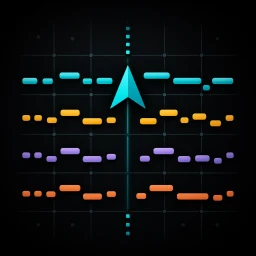

Six editable tracks in the Web Studio.
Web Studio creates Chords, Bass, Arp, Melody, Piano and Drums. You choose sounds, arrange, mix, and finish elsewhere.
FAQ
Direct answers about Studio, the new Library, MIDI export, local storage, pricing, supported devices, and the boundaries of the app.
At a glance
Web Studio creates Chords, Bass, Arp, Melody, Piano and Drums. You choose sounds, arrange, mix, and finish elsewhere.
Browse, search, tag, rename, download ZIPs again or delete local work without an account or sync service.
Apple’s listing has the current iOS price and device requirements. The Web Studio has no checkout or account.
Yes. Open /studio/, choose style, key, scale, tempo and length, then generate Chords, Bass, Arp, Melody, Piano and Drums. Generation, browser synth preview, editing and MIDI export run locally without an account.
No. This Web Studio generates six tracks with a browser engine, synth preview, note and chord editing, undo/redo, track locks, a browser-local Library and MIDI/ZIP downloads. The native app has its own engine, sounds and workflow. Web features described here are separate from the native release; check the App Store listing for current iOS features. Matching settings are not guaranteed to produce identical notes.
Yes. Your current draft is restored when you return in the same browser. Save project adds a named copy to Library. Projects and export snapshots stay on this device; they do not sync to iOS or other devices. Download a library backup before clearing browser data.
MotifPilot is a MIDI sketching tool. The Web Studio creates six editable tracks locally in the browser. Web and native apps each provide their own generate, edit, save and export workflow. You choose instruments and finish the track in your DAW.
MotifPilot is available now on the App Store for iPhone and iPad.
The Web Studio generates 4, 8 or 16 bar MIDI sketches with Chords, Bass, Arp, Melody, Piano and Drums. Choose style, key, scale, tempo, density, humanize and swing, then preview, edit and export. Native feature availability depends on the released version.
MotifPilot is built for electronic music producers, songwriter-producers, and mobile producers who want editable MIDI before arranging, sound design, mixing, or final production work.
Web Library keeps named projects and export snapshots in this browser. Browse projects or exports, search and filter, rename, download ZIPs again or delete items, including batch deletion. Settings can download or import a library backup. Native Library capabilities depend on the released app version.
No. It is a focused, deterministic MIDI tool. You choose the musical settings directly; it does not use a prompt, account, AI credits, or AI generation. The optional MCP endpoint exposes deterministic MIDI generation to compatible clients.
The Web Studio has no checkout or account. Check Apple's listing for the current iOS price and purchase details; local prices may vary.
The Web Studio has no subscription or checkout. Check Apple's listing for the current native app purchase terms.
No account is required. The Web Studio restores the current draft and stores saved projects and export records in this browser's IndexedDB. Preferences use localStorage. Browser data can be cleared by you or the browser; download a library backup to keep a separate copy. There is no automatic sync to iOS or other devices.
The Web Studio downloads a combined MIDI file or a ZIP with individual active-track MIDI files and an import guide. The native app exports through the iOS share sheet. MIDI contains notes and timing; assign instruments in the destination DAW.
The web ZIP includes a combined MIDI file, individual files for the active Chords, Bass, Arp, Melody, Piano and Drums tracks, and an import guide. Turning off Export for a track excludes it. Native package details depend on its released version.
MotifPilot exports Standard MIDI files. Exact track separation, instrument assignment and sustain handling depend on the DAW, plugin, device and import settings. The DAW compatibility page separates vendor documentation from completed application tests.
No. MotifPilot creates editable MIDI material. You still choose sounds, arrange, mix, and finish the track in your production tools.
Available now
Sketch MIDI on your device, keep projects in the native Library, and export when the idea is ready. The App Store listing describes the published version.