How to get past a blank DAW session
A practical workflow for turning style, key, scale, and groove choices into a four-track MIDI starter before the session loses momentum.
A blank DAW session usually does not need more tracks. It needs one musical shape that is clear enough to react to.
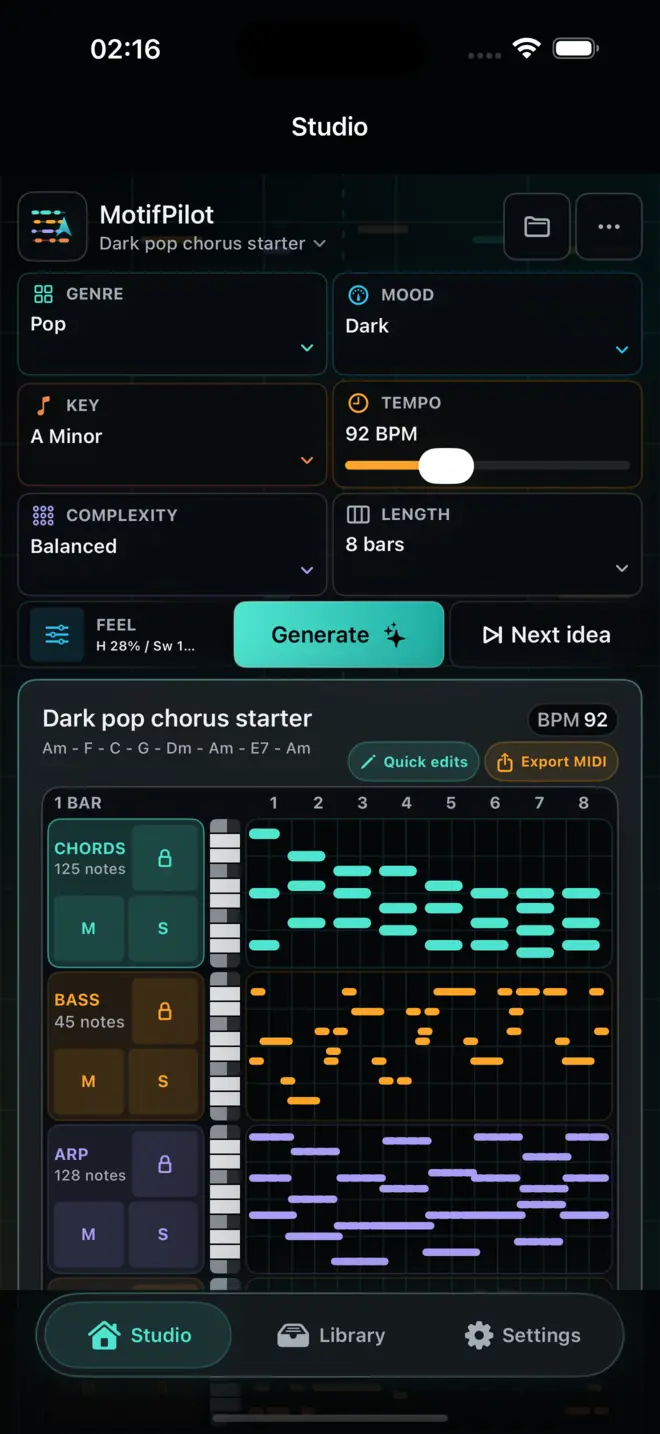
MotifPilot is built for that first shape. Set the musical frame, generate chords, bass, arp, and melody together, then export the MIDI into a compatible DAW where the track can be finished.
Start with decisions you can hear
The first useful move is not opening every instrument plugin. It is choosing a small set of constraints:
Choose a small musical frame
- style preset
- key and scale
- tempo
- 4, 8, or 16 bars
- density and harmonic detail
- swing and humanize
Those choices are enough to create a direction without forcing you into a theory workstation.
Generate parts that belong together
A chord loop alone can be hard to judge. It may sound fine, but it does not tell you how the track might move.
MotifPilot generates four related lanes:
- chords for harmonic structure
- bass for weight and movement
- arp for motion
- melody for a top-line idea
The point is not to pretend the track is finished. The point is to give you enough connected material to decide whether the idea should continue.
Preview before you export
Preview matters because MIDI should earn its place in the session. Listen to the starter, focus a track, mute or solo lanes, and try a variation if the idea is close but not right.
If the starter is useful, export it. If it is not, change the controls and generate again with a clearer direction.
Keep the DAW for finishing
MotifPilot is not a replacement for Logic, GarageBand, Ableton, FL Studio, or the production setup you already use. It is the step before that: a way to stop staring at an empty grid and start with editable MIDI.
Once the MIDI is in your DAW, you can choose sounds, rewrite notes, arrange sections, automate, mix, and make the final creative decisions there.
A good first-session checklist
Use this simple flow when you need momentum:
- Pick one style preset.
- Choose a key you are comfortable editing.
- Start with 8 bars.
- Keep harmonic detail balanced.
- Add only enough swing and humanize to avoid stiffness.
- Preview all four lanes together.
- Export the combined starter and individual MIDI files for the active tracks before you overthink it.
The goal is not perfection. The goal is a musical starting point that survives the handoff into a real production session.

How MotifPilot helps
A focused step before sound selection and arrangement.
MotifPilot turns a small set of musical decisions into four related MIDI lanes, then leaves instrument choice, arrangement, mixing, and finishing to the DAW.