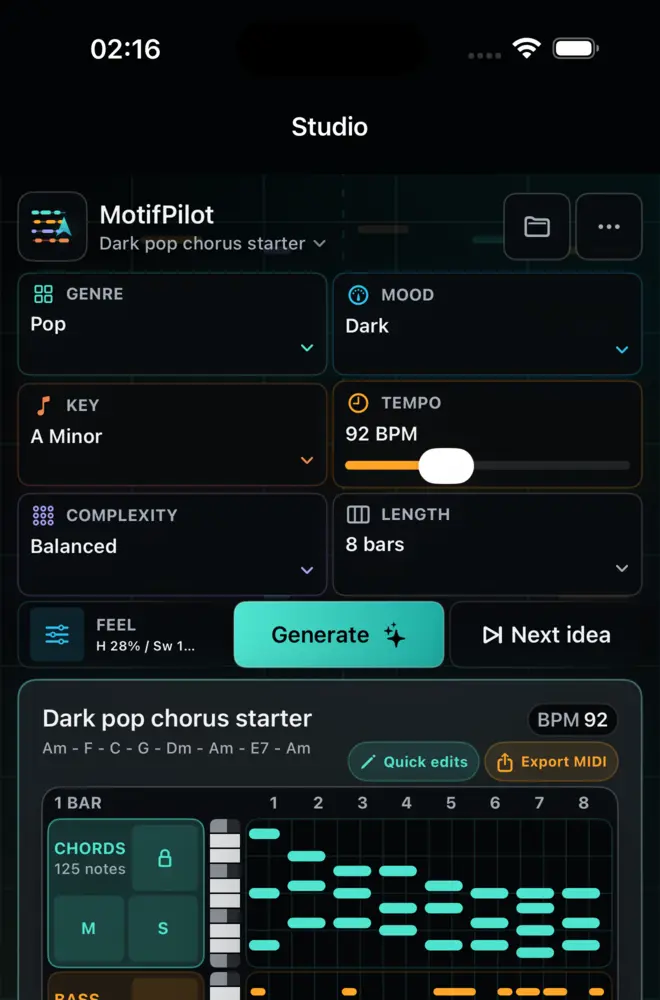
Controlled MIDI variation vs. random rerolling
MotifPilot variations help producers change the feel of a starter while keeping the chord, bass, arp, and melody workflow editable.
Random rerolling is fast, but it can erase the part of the idea you liked.
Controlled variation is different. It lets you push the starter in a musical direction while keeping the result inspectable, editable, and ready for DAW handoff.
MotifPilot also offers Next idea when you want an alternate sketch from the same setup. Use Next idea to compare a new generation; use a named variation when you want to push the current musical direction.
Variation should answer a musical question
The useful question is not "give me anything else." It is more specific:
Use a named musical direction
- Can this be simpler?
- Can it feel darker?
- Can it be more rhythmic?
- Can it add tension?
- Can it resolve more clearly?
- Can the texture become more sparse?
Those questions map to production decisions. They help you compare directions without losing the frame of the session.
Keep the starter editable
The result is not locked audio. The workflow stays centered on MIDI lanes you can inspect and shape:
- chords
- bass
- arp
- melody
After a variation, you can preview the result, focus a lane, adjust notes, replace chords, and undo if the change does not serve the track.
Humanize without hiding the structure
Humanize and swing are useful when they support feel. They become a problem when they hide the grid so much that editing becomes harder.
MotifPilot keeps those choices as visible controls. You can add feel to the MIDI starter while still understanding what was generated and how to change it.
Use variation before sound design
Sound design can make almost any MIDI idea feel exciting for a few minutes. Variation is more honest earlier in the workflow because it tests whether the notes, rhythm, and harmonic movement are worth continuing.
A practical order:
- Generate the starter.
- Preview all four lanes.
- Push one variation direction.
- Listen to the change, then undo it if it does not help.
- Export only when the MIDI itself has enough shape.
That discipline helps the DAW session start from a musical decision, not just a preset that sounded good in isolation.

How MotifPilot helps
Named changes stay connected to an inspectable MIDI sketch.
Next idea creates another sketch from the same setup, while named variations push the current chords, bass, arp, and melody toward a specific musical question.