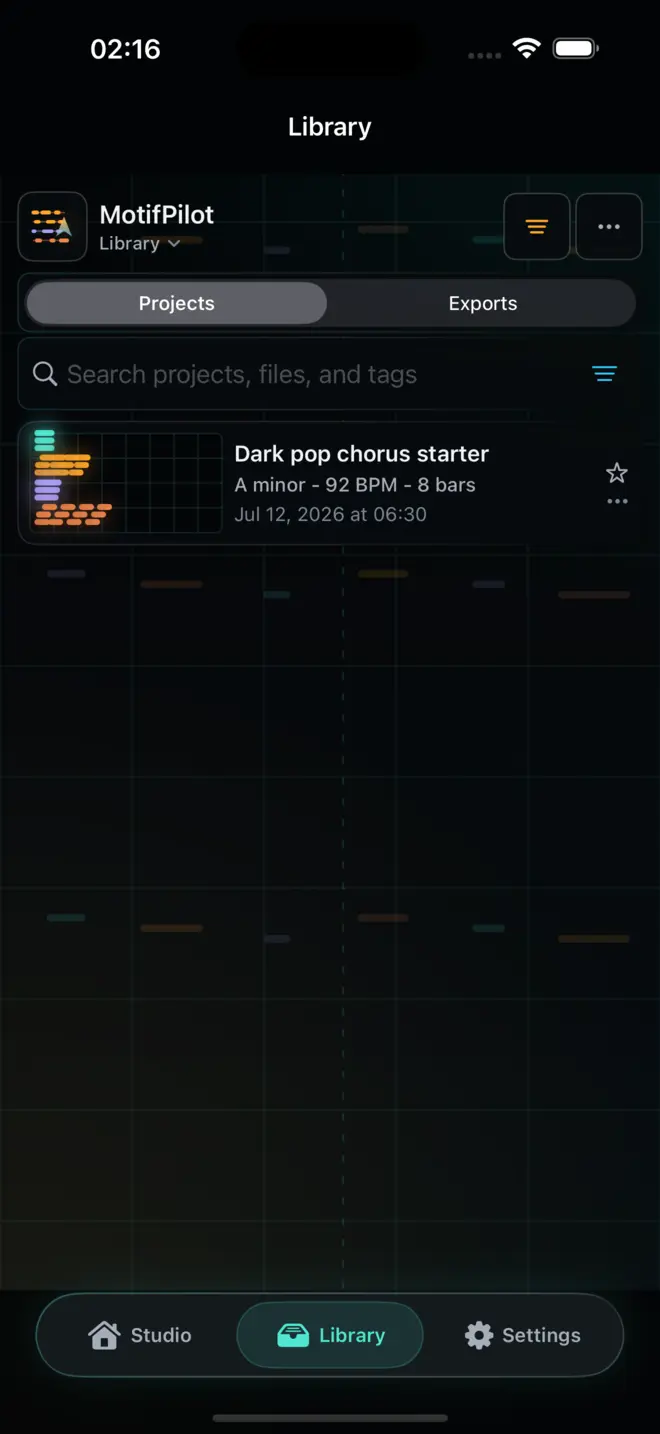
Organize MIDI projects in MotifPilot Library
Use the local Library to find MIDI sketches, manage export records, add tags, share files again, and rebuild a ZIP when local sources allow it.
MotifPilot Library stores saved projects and export records locally on each iPhone or iPad. It is local storage inside the app, not an account, cloud drive, backup, or sync service. New items appear first, and you decide when to delete work from that device's Library.
Projects and exports have different jobs
The Library has two sections because a musical sketch and an exported package are not the same thing.
Projects are editable starting points
A project keeps the generated chords, bass, arp, melody, musical settings, and edits that let you continue in Studio. Open a saved project when you want to listen again, change notes, try another direction, or export a fresh package.
Exports are records of files already created
An export record points to the files MotifPilot created on the device. Depending on the active tracks, the package can include a combined starter MIDI file, individual MIDI files for active tracks, a plain-text import guide, and a ZIP archive.
Search by the details you remember
You do not need to remember an exact filename. Library search can match project titles, export filenames, and tags. Tags are useful for lightweight categories such as a client name, writing session, style, or status.
A practical system can stay simple:
- use the star to add or remove the built-in
favoritetag - tag a project with the session or track name
- rename generic generated titles after the musical direction becomes clear
- delete test exports after confirming the package you want to keep
Share one item or manage a group
Library supports actions on individual items and selected groups. You can open a project in Studio, export a project again, share an existing export, rename or tag items, and delete work you no longer need.
Batch actions are useful when several sketches belong to the same writing session. Selection does not create cloud storage; the resulting files still leave through the iOS share sheet to the destination you choose.
What happens when an export file is missing?
Library can detect when files listed in an export record are no longer present. Recovery depends on what remains locally:
- if the linked project is still available, MotifPilot can create a new export from that project
- if the source MIDI and guide files remain, MotifPilot can rebuild the ZIP archive
- if the required local sources are gone, the app reports the missing files instead of pretending recovery succeeded
That boundary matters. Library is designed to make local work easier to manage, not to promise backup or cloud recovery that the app does not provide.
A focused local workflow
Use Studio to create and shape MIDI. Use Library to return to projects and manage export records. Use the share sheet when you are ready to move files into Files, AirDrop, or another production destination.
The result is a clearer handoff without turning MotifPilot into a full DAW or a cloud project service.

How MotifPilot helps
Projects and exports stay distinct, searchable, and local.
Library lets a producer reopen an editable project or manage files already exported, without presenting local storage as an account, sync service, or backup.