Browser MIDI generator: four editable parts, no signup
Discover phrases, shape Chords, Bass, Melody and Drums, and export selected MIDI or a WAV production ZIP in MotifPilot Web Studio.
Some guides describe the four-track native workflow at publication. The current Web Studio creates Chords, Bass, Melody and Drums, with independent MIDI/WAV ZIP export. Web and native releases have separate capabilities.
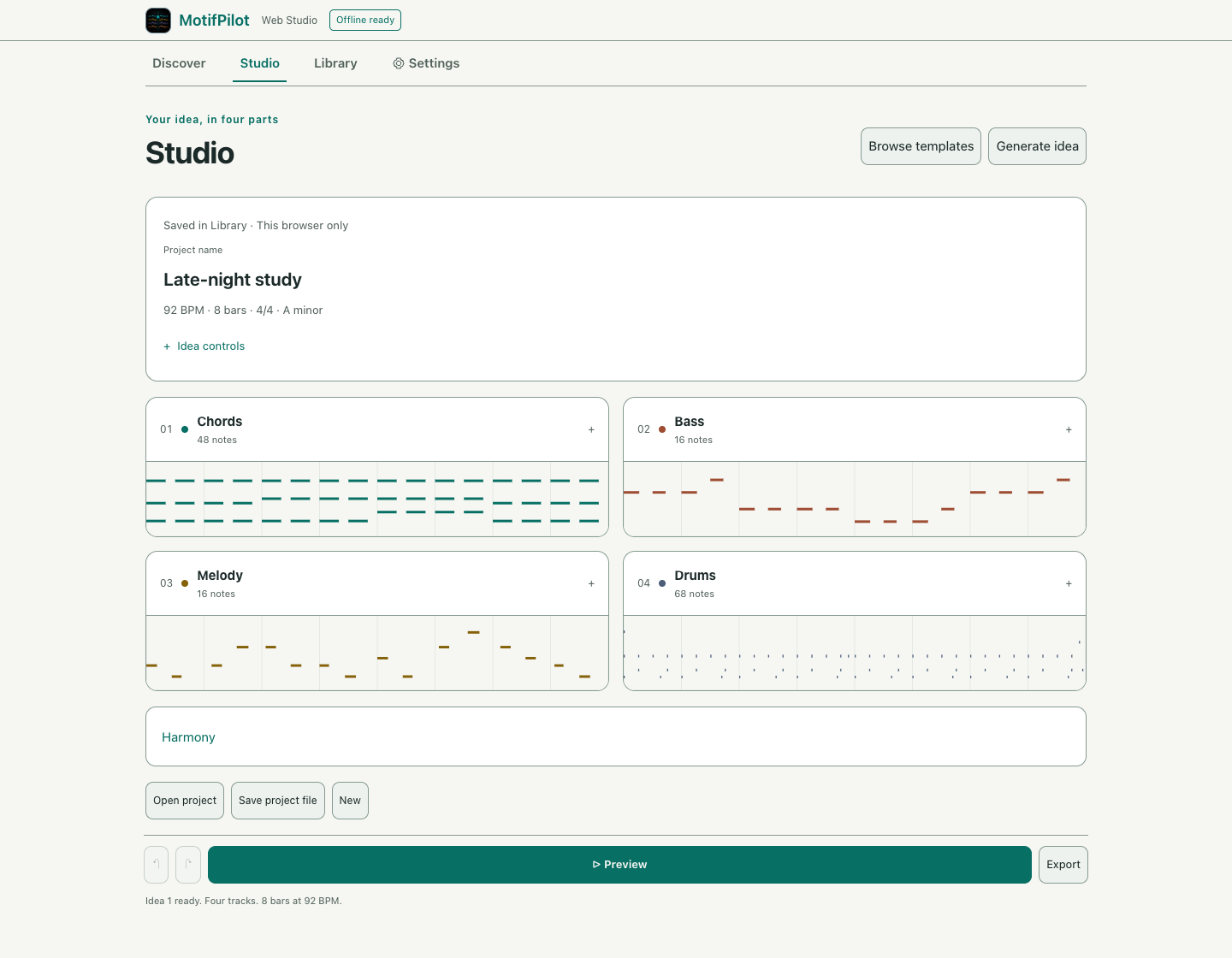
MotifPilot Web Studio creates editable Chords, Bass, Melody and Drums in your browser. Start with a phrase or an individual part in Discover, or generate a sketch from musical settings in Studio. Preview, compare replacements and edit the notes before taking MIDI or a browser synth WAV loop into your DAW. Open Web Studio without an account, subscription or cloud music generator.
Four related parts
| Part | What you can work on |
|---|---|
| Chords | The harmonic frame and chord changes |
| Bass | A low-register line supporting the frame |
| Melody | A top-line idea to keep or rewrite |
| Drums | Rhythm using General MIDI drum keys |
Templates may contain fewer than four populated parts. Empty slots remain available for adding material; the app does not invent notes to fill them. Imported material with an unconfirmed key is labeled Key unknown.
Discover → Studio → Library
- Preview a whole phrase or a single part in Discover. Search, filter by part or tempo, and save phrases and parts independently to Favorites.
- Open a phrase in Studio, or start with one part. You can also generate 4, 8 or 16 bars from style, key, major/minor scale, tempo, density, humanize and swing. The homepage examples use this same four-part generator.
- Replace one part in the current arrangement. Compare the candidate with the original, then confirm or cancel. Confirmation is undoable; it keeps the other parts.
- Edit note pitch, start, length or velocity. Mute and Solo affect listening. Lock a populated part before generating again, keeping key, scale and length unchanged while it is locked.
- Projects save in the current browser’s Library. Rename, tag, search, reopen or export them. Download a separate project JSON when you want a file backup or want to continue on another device.
Choose the export parts
Studio and Library share an Export panel. Choose MIDI or a production ZIP, a filename and the populated parts you want. This selection applies to that export only; Mute and Solo do not remove parts from the file.
MIDI is one Type 1 file containing the selected musical tracks and a conductor track. It carries notes, tempo and timing. Assign instruments in your DAW.
The ZIP adds individual MIDI parts, a 48 kHz / 24-bit stereo WAV loop, an import guide, source notices and a manifest with file hashes and the selected performance. The WAV contains the actual local browser synthesizer, which is separate from the native iOS SoundFonts. It is limited to an exact number of bars, with release tails folded into the loop start.
Library keeps the original export bytes and its starting snapshot. Later project edits or changes to the Library label do not rewrite the file. A saved snapshot can be opened as a new project. Keep a project JSON for an independent editable backup.
Offline work and local data
After an initial connection, wait for Offline ready before relying on reopening Studio without a connection. Generation, editing, synth preview, project JSON and export then work locally. Templates you have already loaded remain available offline; an unvisited template still needs a connection.
Settings contains appearance, preview preferences, file backups, offline installation and an offline-readable export guide. Browser storage can be cleared or reclaimed. Projects do not sync automatically with iOS or other devices. See the FAQ and privacy policy for the storage boundary.
Continue in your DAW
Import the combined MIDI, or place the individual MIDI parts at the same starting bar. Choose suitable instruments and check tempo, clip length and the General MIDI drum map. The WAV is an audio alternative carrying the browser’s sound. The DAW guide separates file-format guidance from actual application testing.
The iPhone and iPad guide describes the separate native workflow and its publication context. Check the App Store listing for released native capabilities, price and device requirements.
Browser workflow
Discover, shape and export a four-part idea.
Web Studio runs generation, synth preview, note editing and MIDI/WAV file creation locally. Projects and export copies stay in the current browser.